- 682-84-CYBER
- info(@)cybersecuritysimplified(.)com
- 5900 Balcones Drive Suite 16139, Austin, TX, 78731


GOOGLE CLOUD LAB
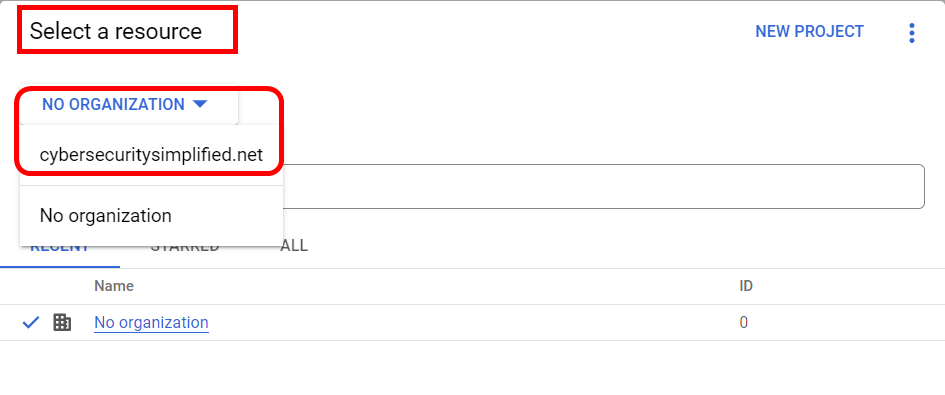
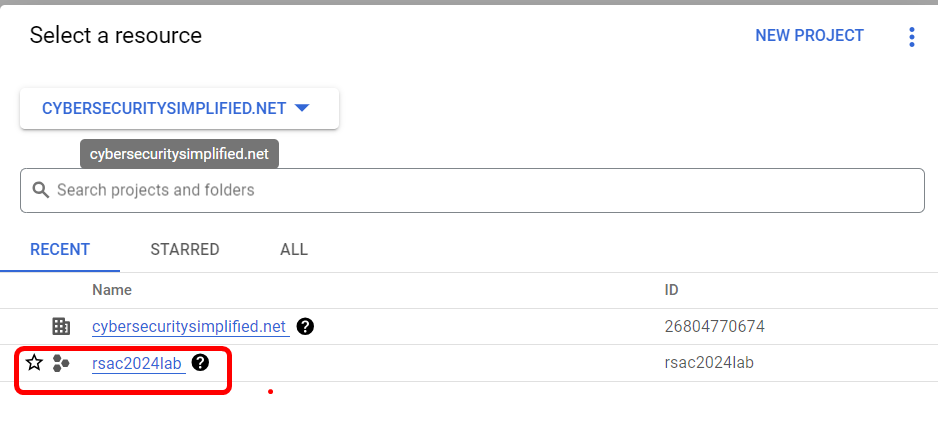
1. Navigate to https://console.cloud.google.com/ and login using the credentials provided. Click on the dropdown listed My First Project or No Organization. Navigate to Select a Resource, click on the dropdown listed NO ORGANIZATION and click on cybersecuritysimplified.net, then click on rsac2024lab project.

Identity and Access Management (IAM)
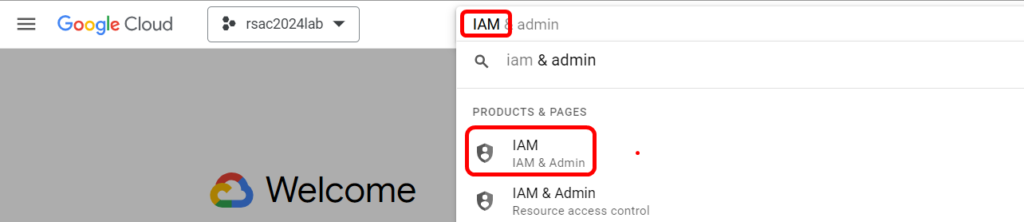
1. Navigate to Identity and Access Management by typing in IAM in the search bar.
Review Permissions for project rsac2024lab for Principals.
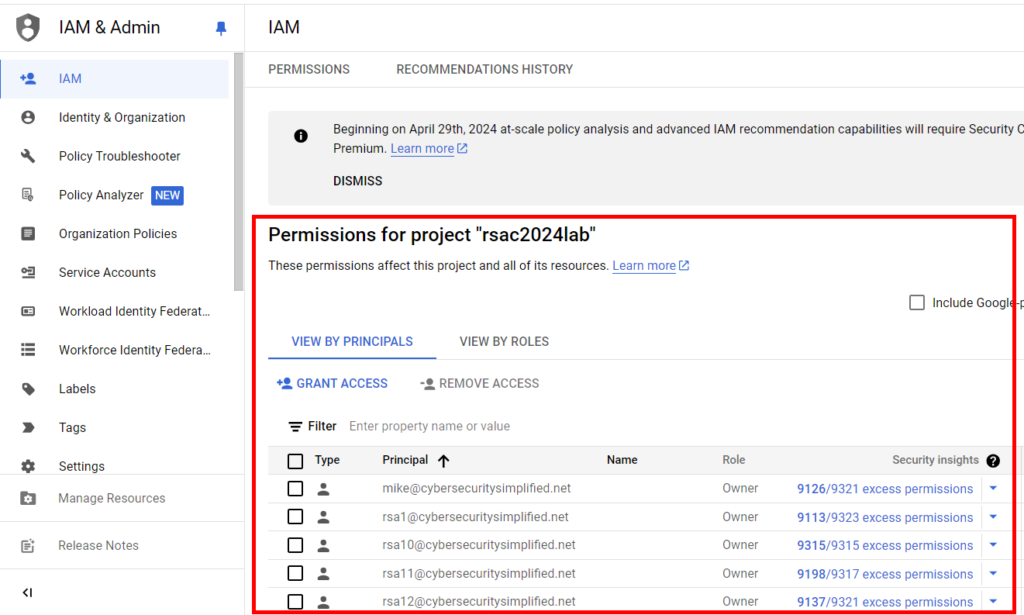
What is the one pervasive misconfiguration you can identify for these regular users? ___________________
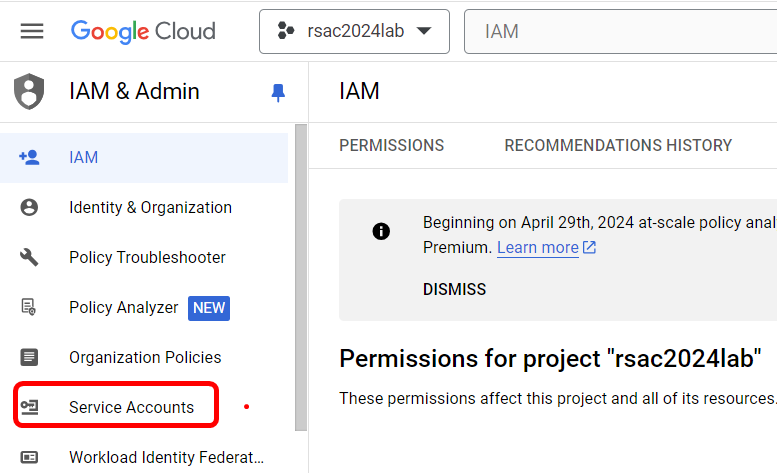
2. Next go back to menu and navigate to Service Accounts.
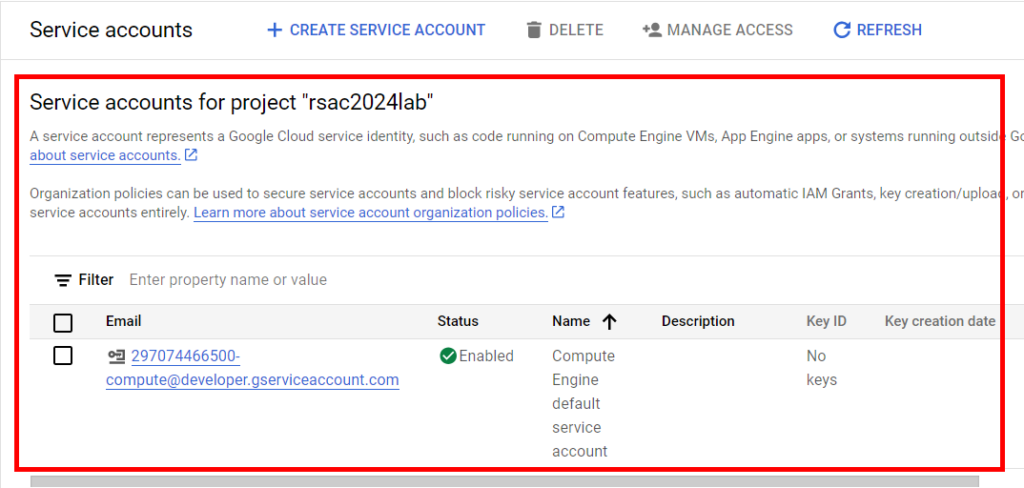
Can you identify any misconfiguration__________________
Virtual Private Cloud (VPC)
1. Navigate to Google Virtual Private Cloud by typing in VPC Networks in the search bar. This will be under the PRODUCTS & PAGES category.
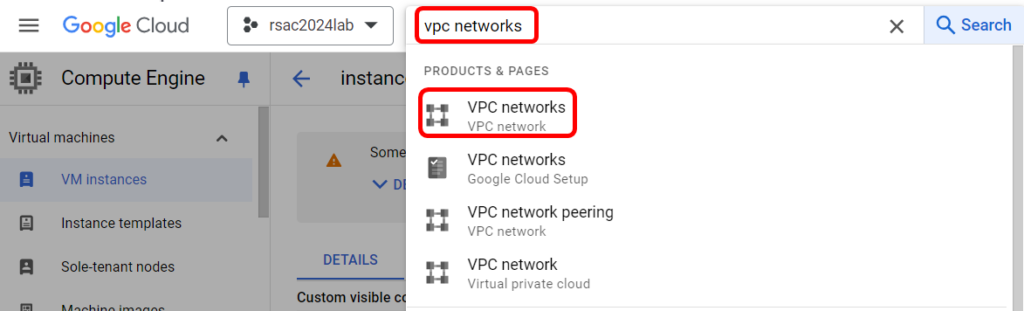
Click on default VPC.
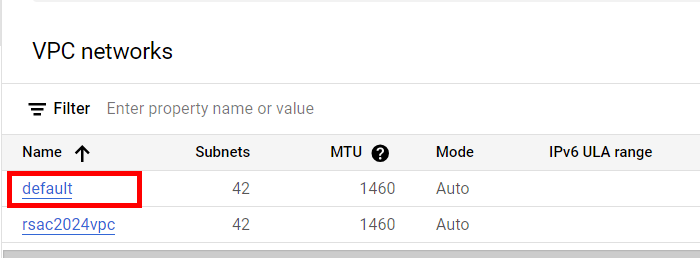
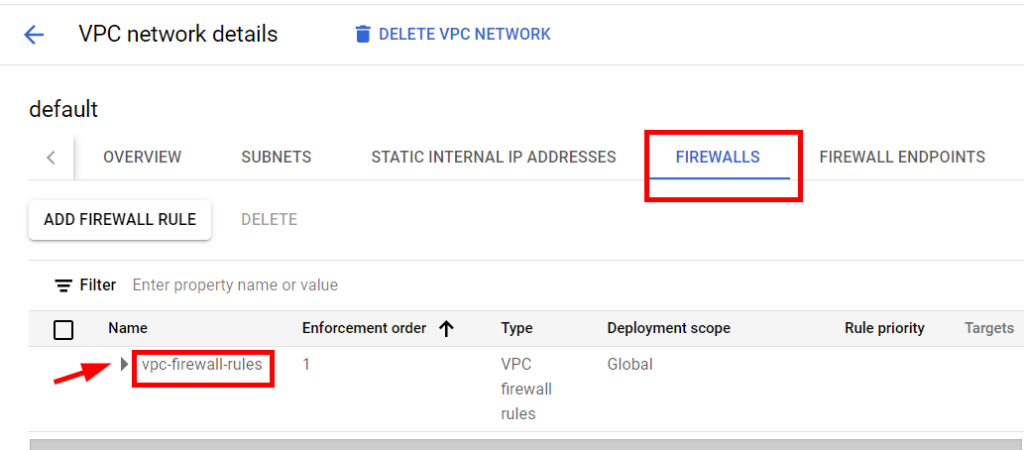
Click on FIREWALLS and vpc-firewall-rules.
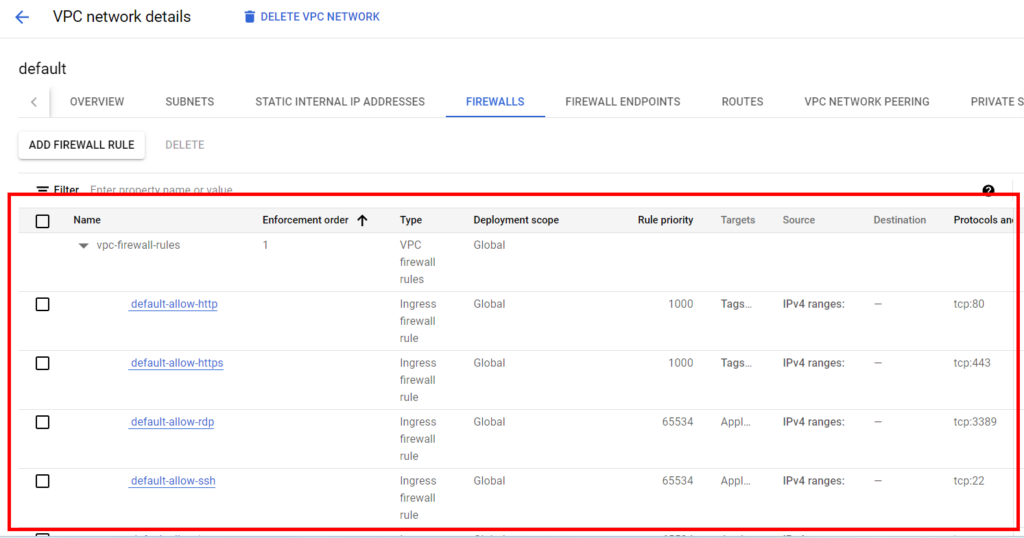
What is the risk presented by the Google Cloud default vpc _______________
Storage
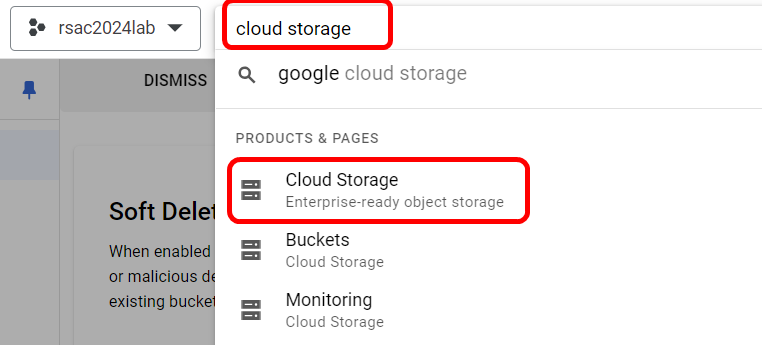
1. Navigate to Google Cloud Storage by typing in Cloud Storage in the search bar. This will be under the PRODUCTS & PAGES category.
Review the attributes listed alongside jerrahbonesbucketz.

Scroll across to see if you can identify the misconfiguration? __________